 HostBook
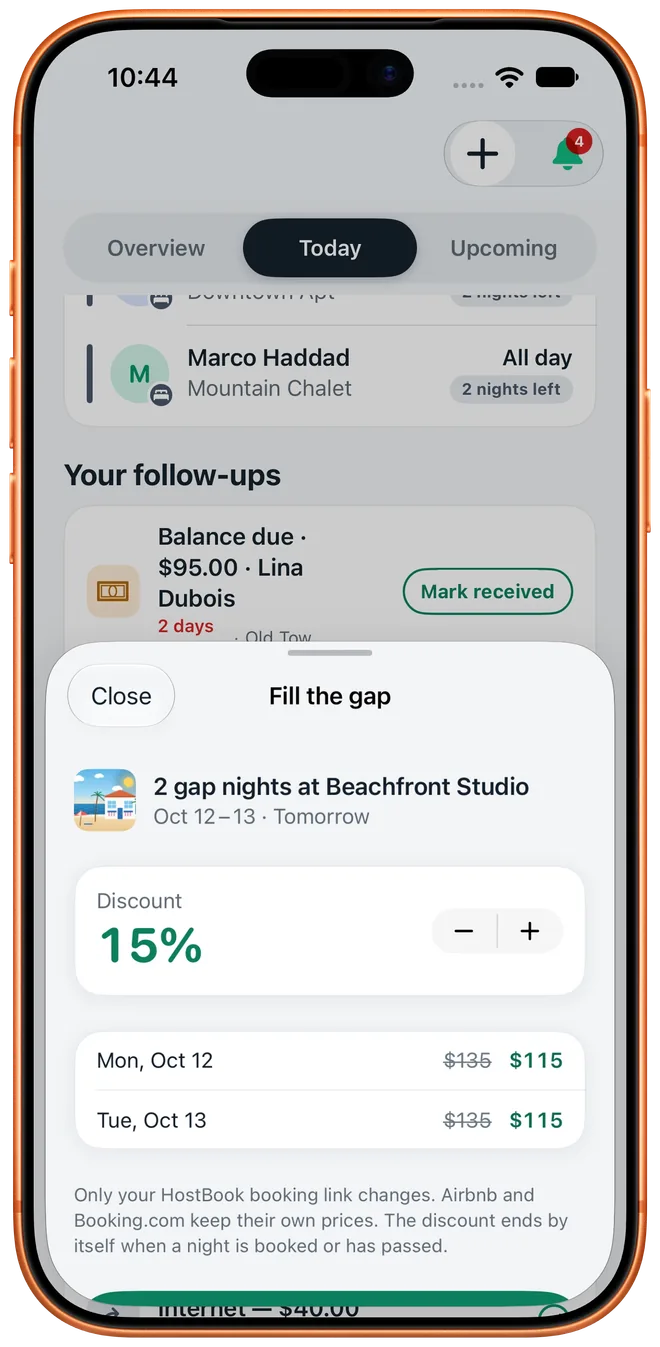
Gap nights
Sell the nights between stays
The Dashboard finds the one to three free nights between bookings in the next 30 days. Discount them on your booking link in one tap, and get an alert when a new gap opens.
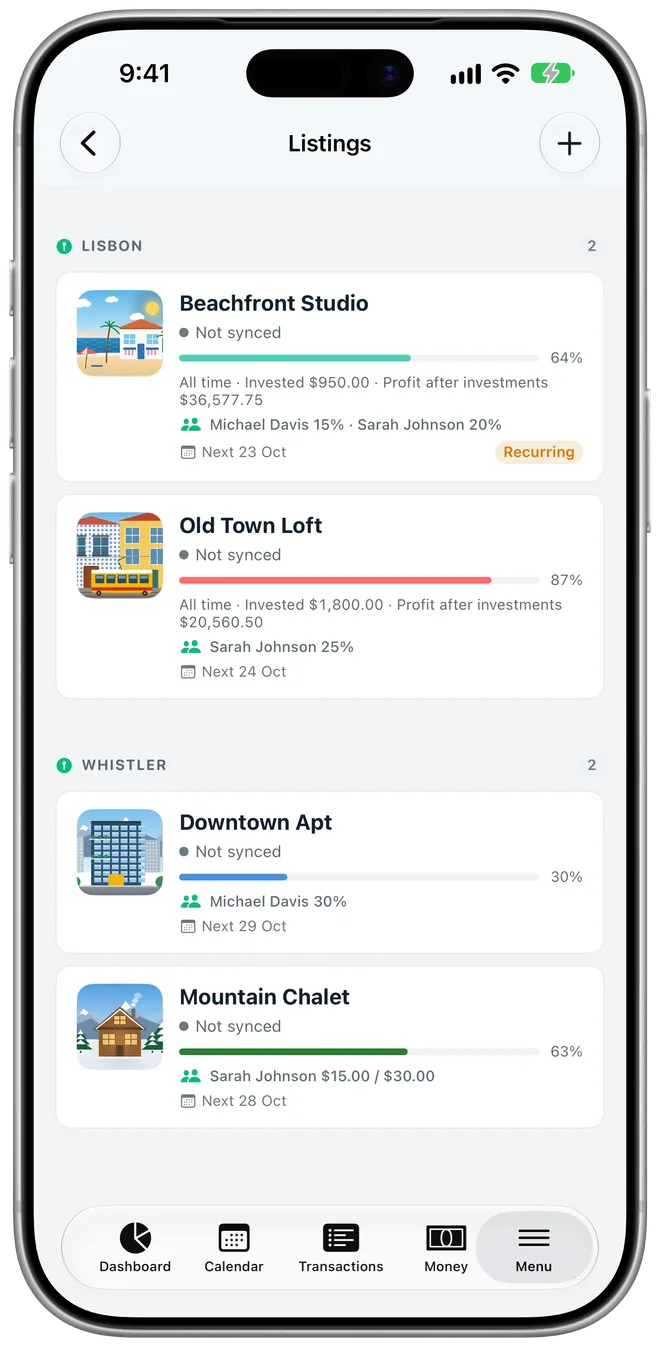
HostBook keeps the books for your short-term rentals. Bookings, calendars, co-host payouts, cleaners and reports in one app, and at the end of the month, the number that matters: what you keep.


Free to start. iPhone, iPad, Mac, Apple Watch and Android. No account needed.
Sea Loft · 3 nights · booked on Airbnb
The biggest update yet, on iPhone, iPad, Mac and Android. Everything here is from the app as it ships today.
The Dashboard finds the one to three free nights between bookings in the next 30 days. Discount them on your booking link in one tap, and get an alert when a new gap opens.
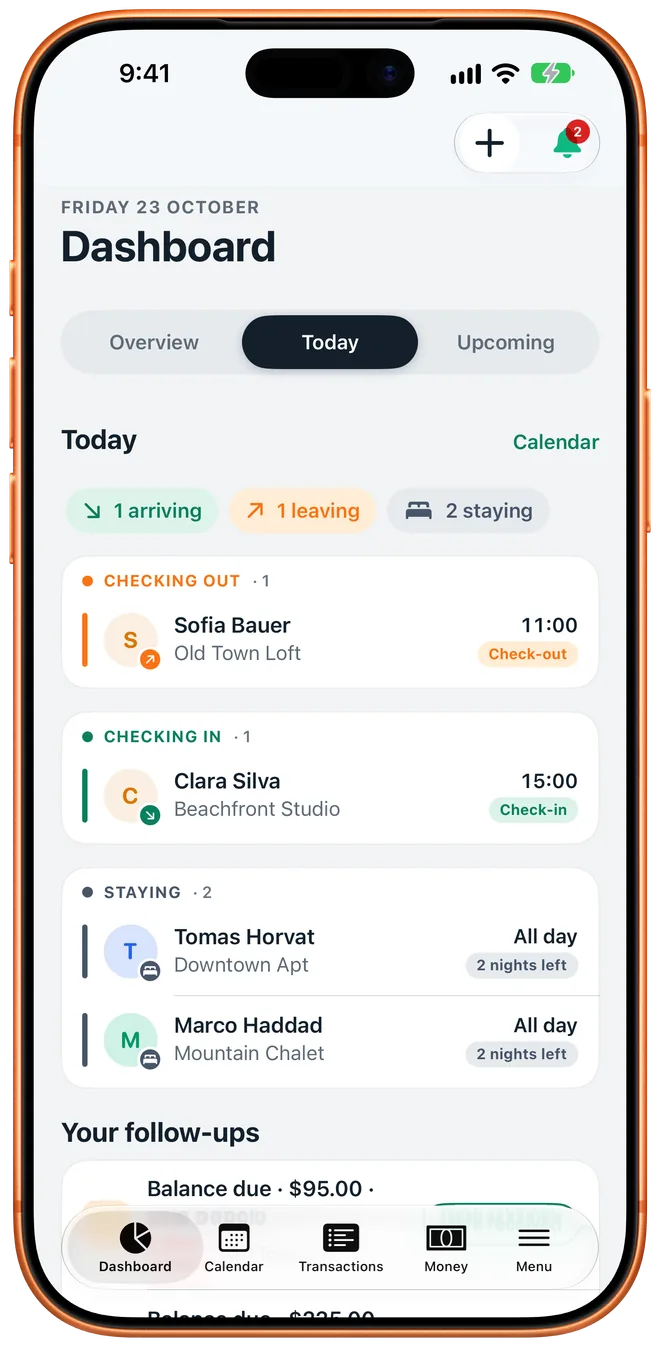
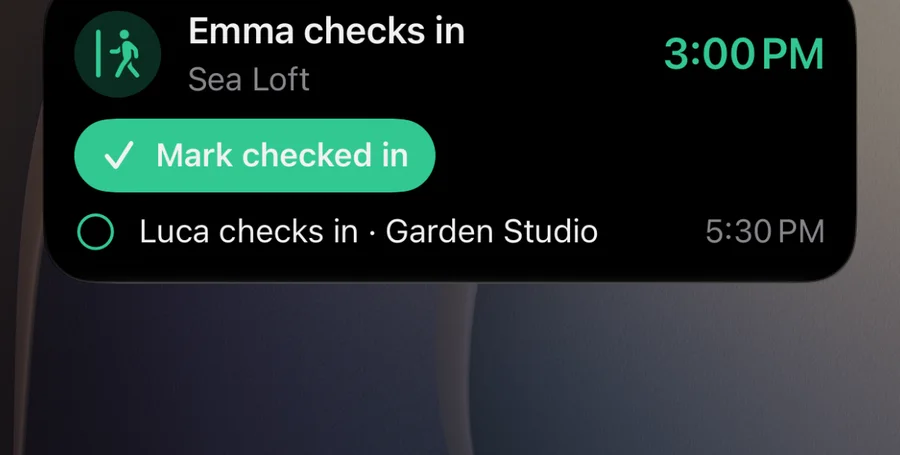
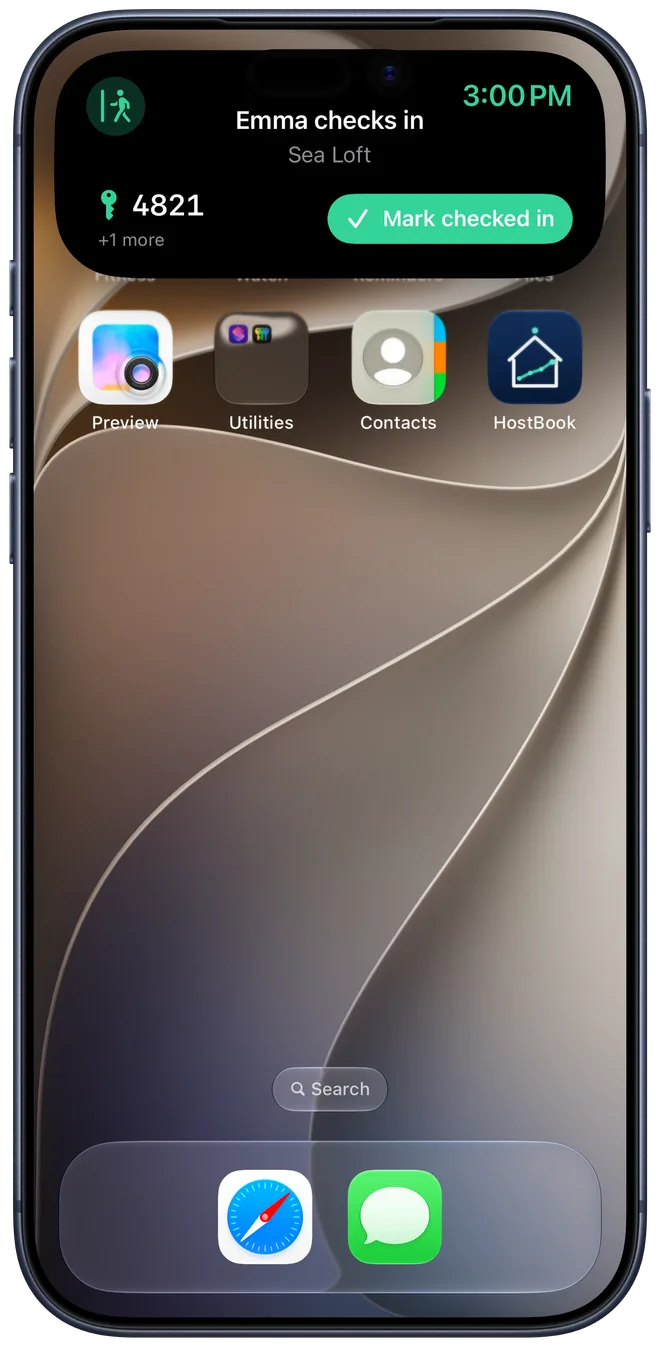
Today's arrivals sit on the Lock Screen and in the Dynamic Island, with a Mark checked in button. On Android they arrive as a Live Update.
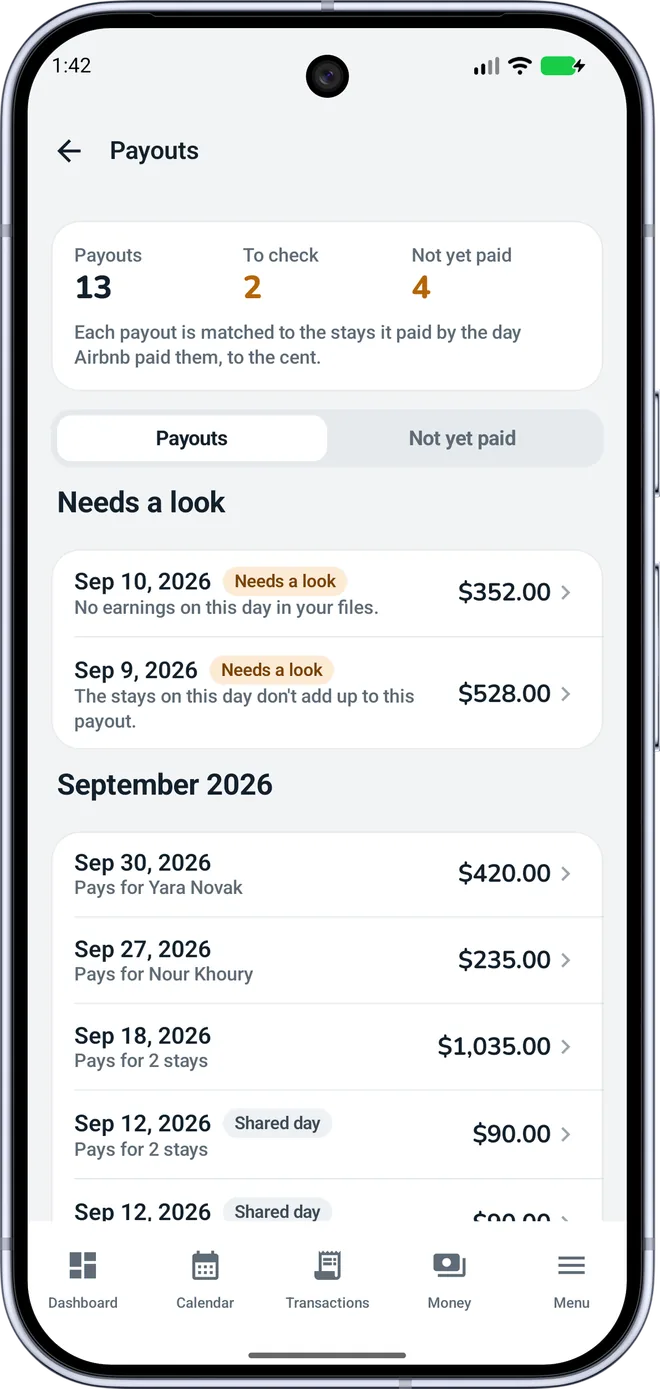
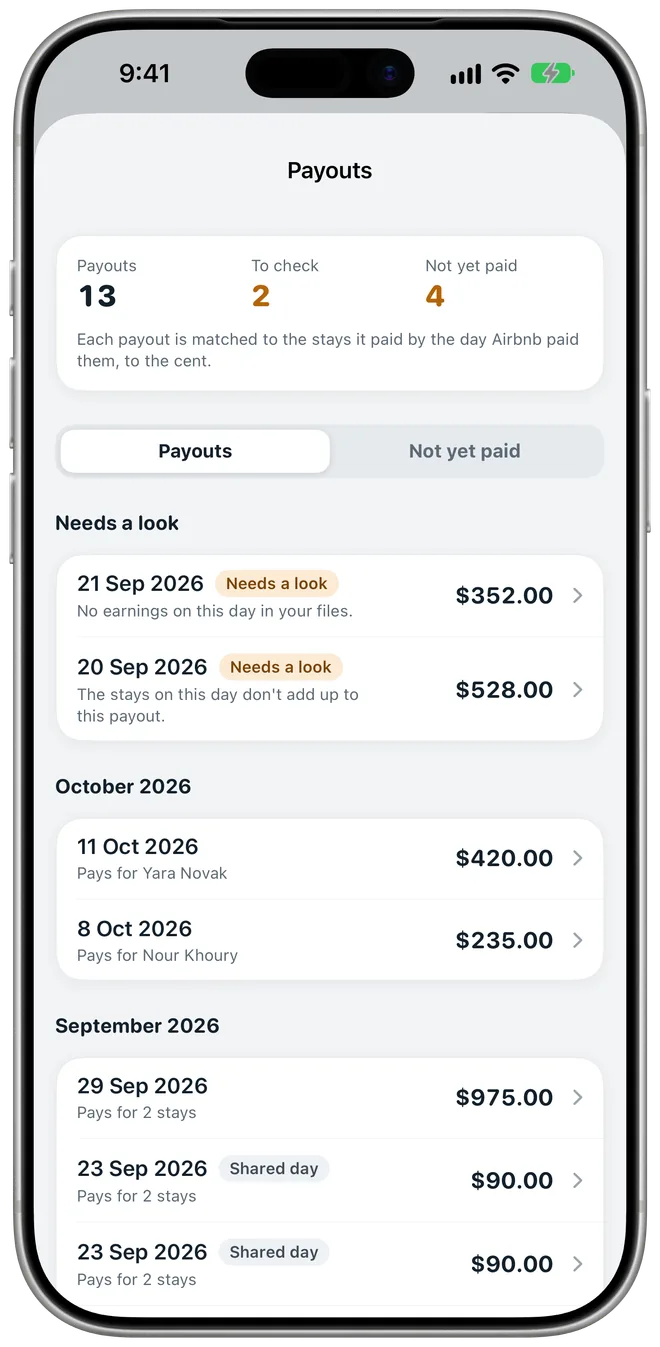
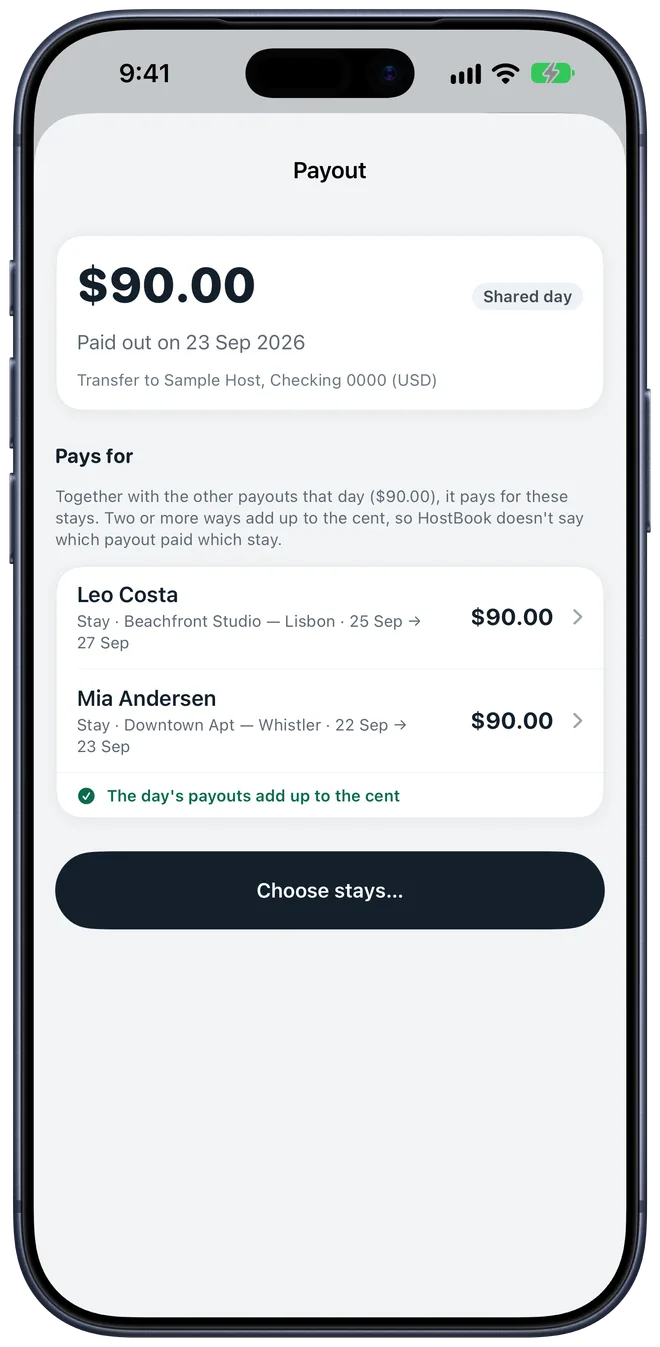
Import Airbnb's transactions file and HostBook shows which stays each payout paid, to the cent, and which past stays haven't been paid yet.
per listing, per year. Income by month, costs, investments, co-host fees, occupancy and nightly rate, ready for your accountant.
of nightly rates, month by month, next to the same month last year. Tap a month to see the bookings behind it.
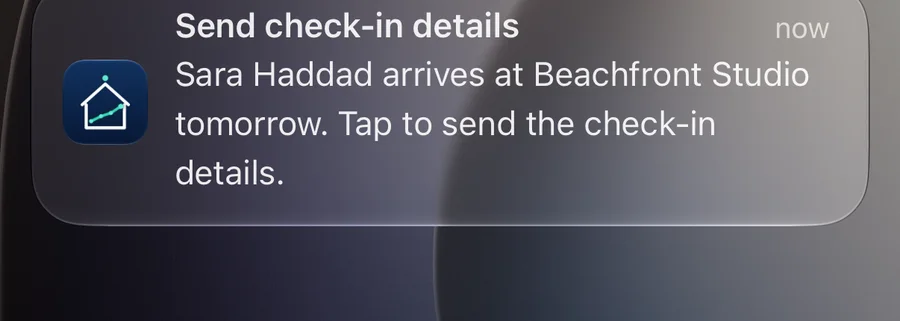
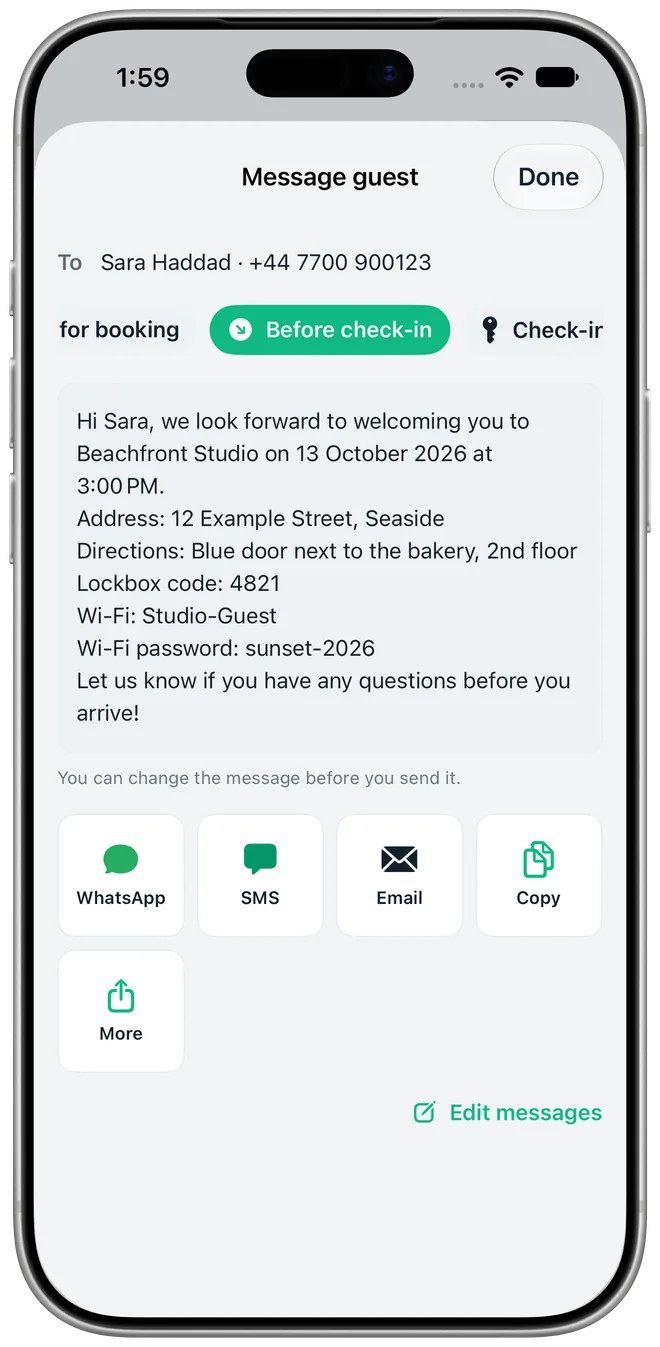
A reminder arrives the day before each arrival with your message already written: address, Wi-Fi, directions and door code. Send it by WhatsApp, SMS or email. The door code never appears in the notification itself.
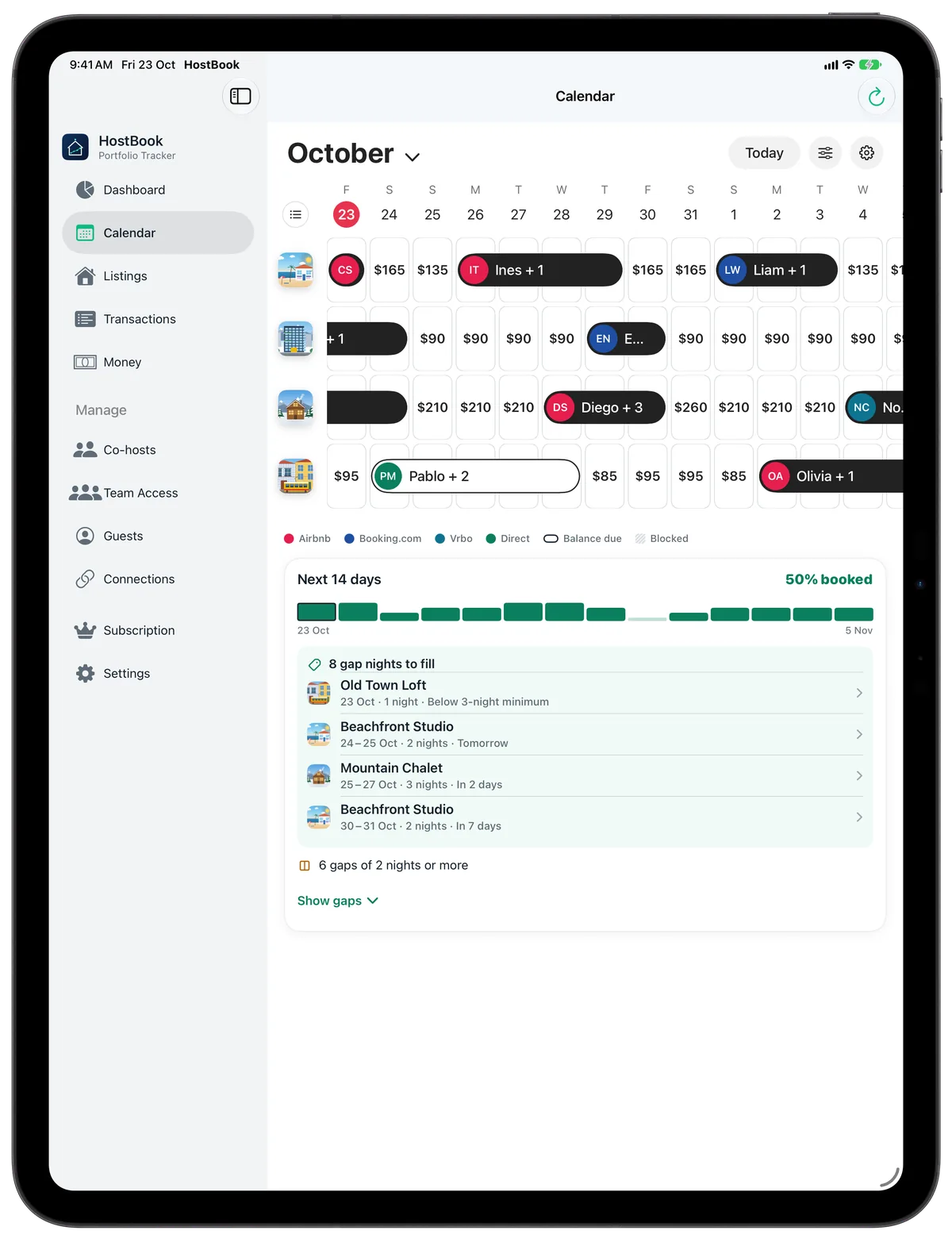
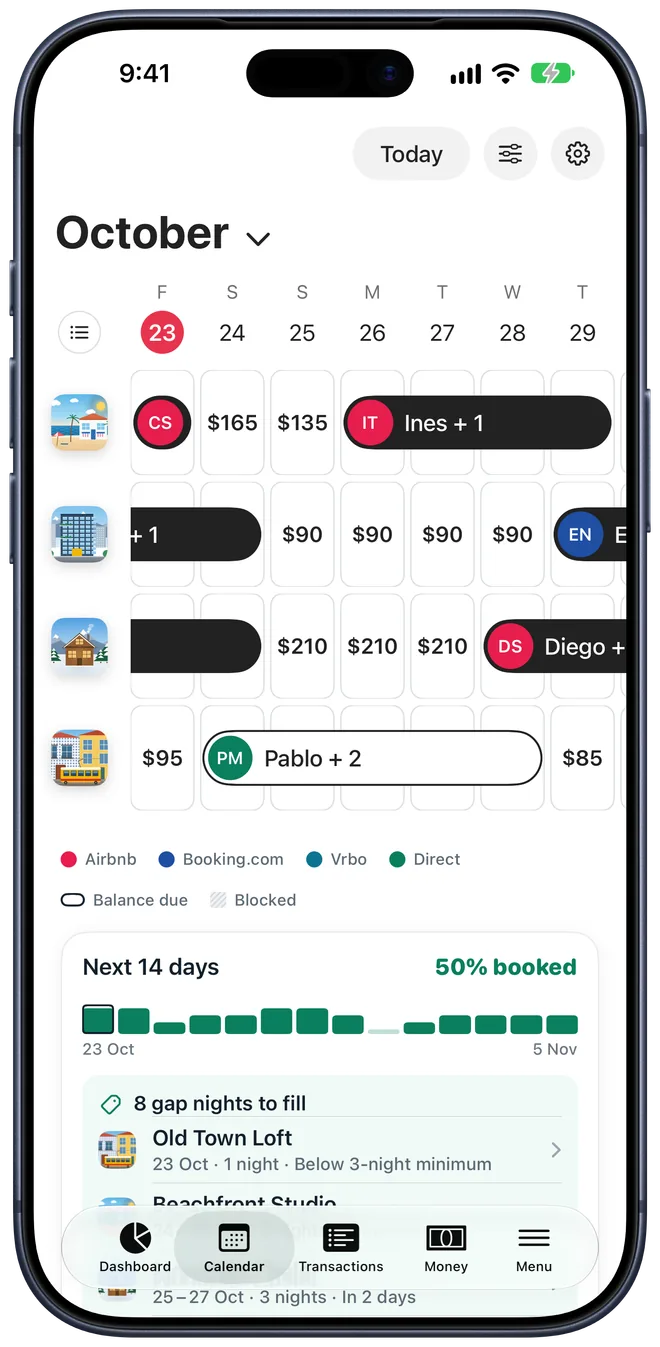
One row per listing with its photo. Each stay is a pill with the guest's name, and every free night shows its price. Tap or drag across days to change prices or block dates.
Plus minimum nights, per listing.
FreeOne listing at a time, stays as bars, drag to block free days.
FreeAirbnb, Vrbo, Booking.com and any iCal link, both ways.
ProA booking on the whole house blocks its rooms, and the reverse.
Pro
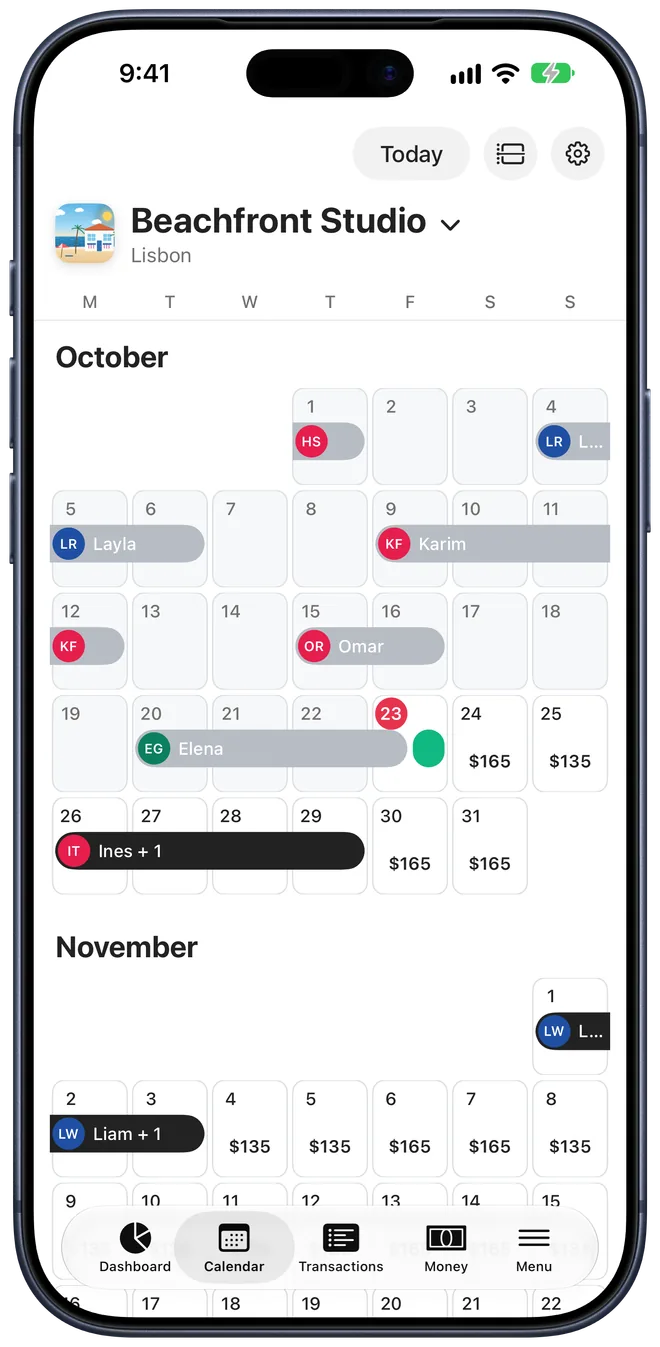
Calendar on iPad Pro, Month view on iPhone.
Each booking has its own page: what the guest paid, what's still due, the lockbox code and every message. Take direct bookings with a link of your own and get paid by card into your own Stripe account.
Guests pick free dates, see your rates, taxes and policy, and pay by card. Paid stays land on your calendar.
ProSend a link for any booking with money due. Refund in one tap.
ProRecord what came in and when. Deposits to return show up in Money.
FreeWhatsApp, SMS or email, filled in with the guest, dates and door code. Write your own.
FreeStay history, returning guests and a do-not-rehost flag that warns you before you book them in.
Free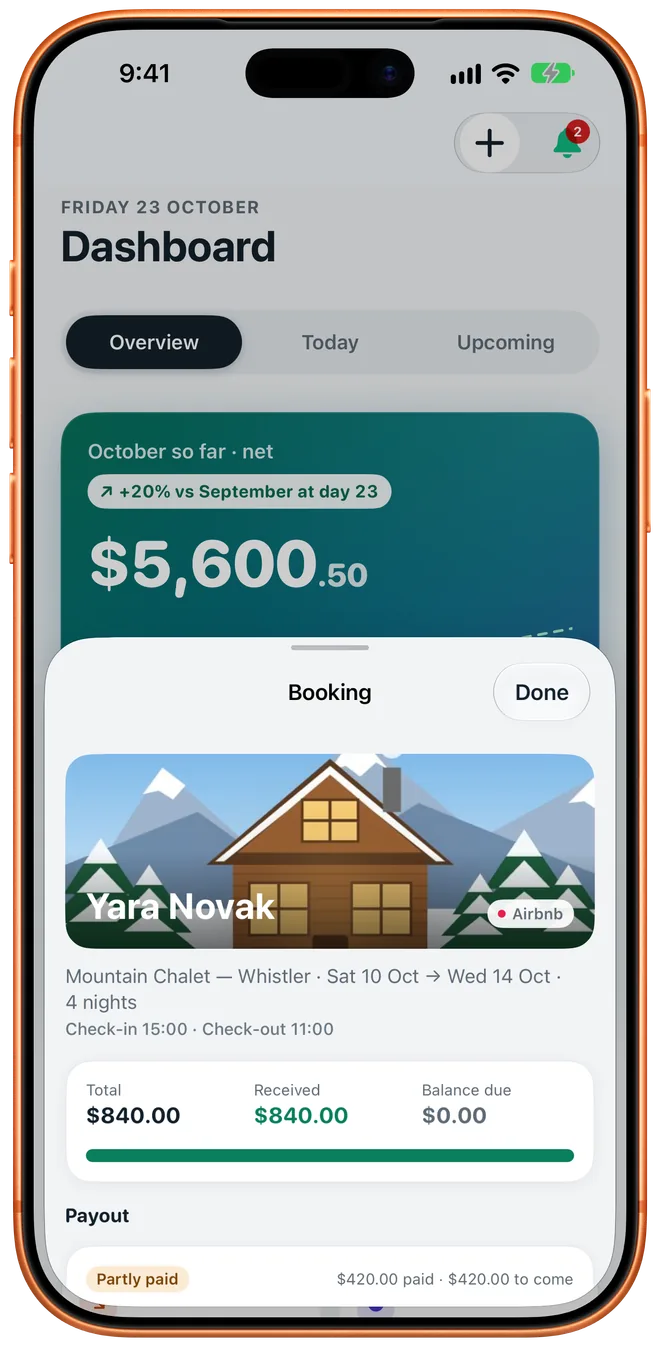
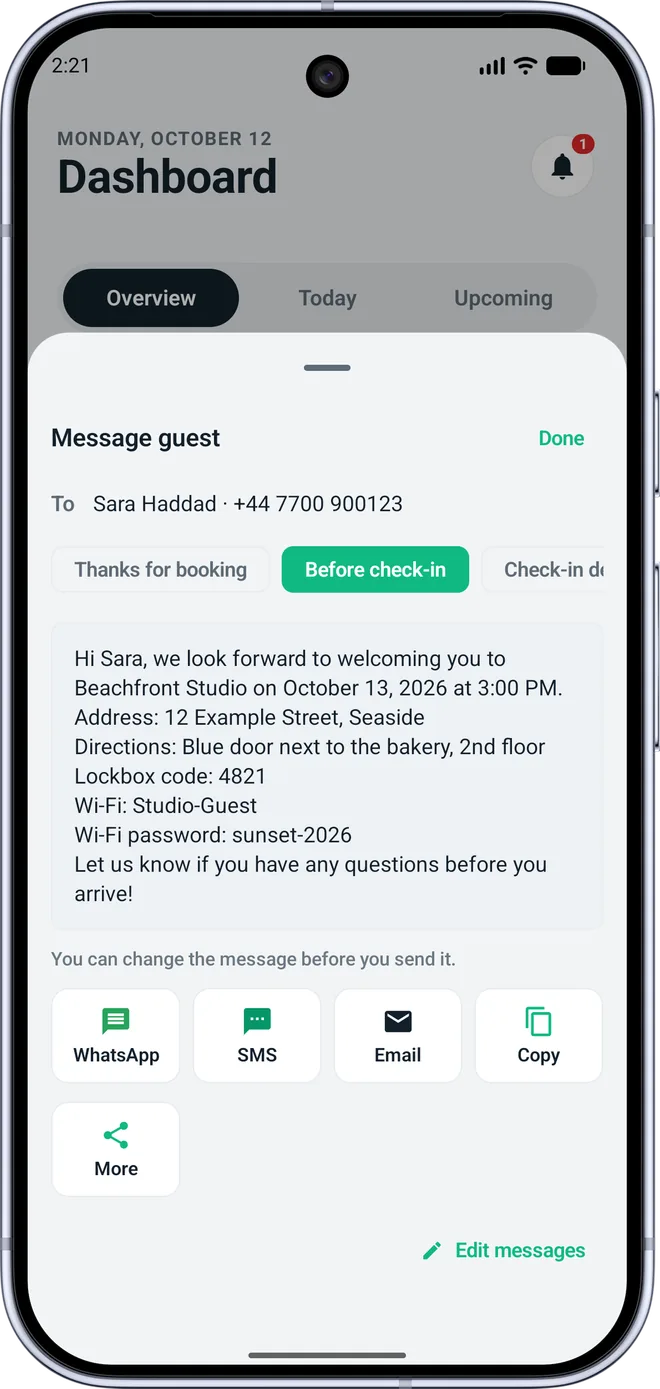
Money shows what needs you: balances due, charges coming up, what each co-host is owed and the month that's ready to close. Close it with a short checklist and the balances carry forward.
In plain words: "You owe Sarah $1,811.50", never a minus sign to decode.
FreeApply a cost to one, several or all listings, choose whether co-hosts share it and who paid.
FreeSnap a receipt and HostBook suggests the amount and date. Nothing leaves the device.
ProRent, utilities and salaries post themselves. Furniture stays out of monthly profit.
Pro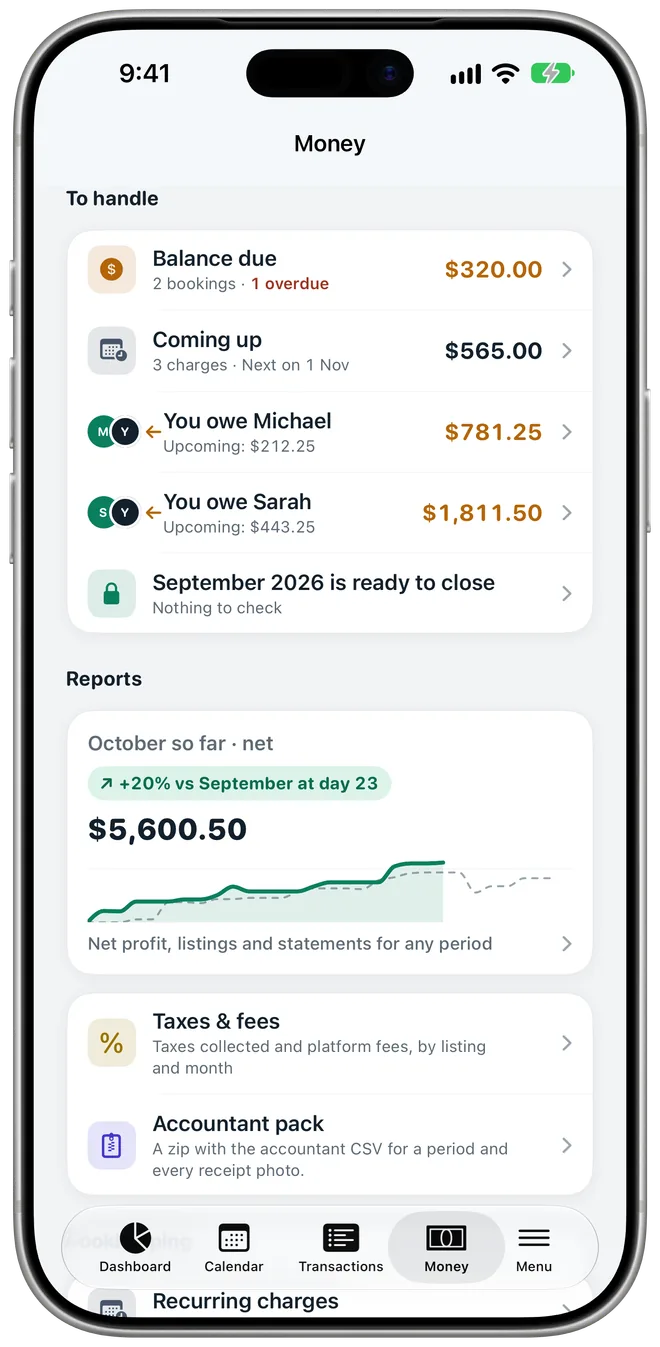
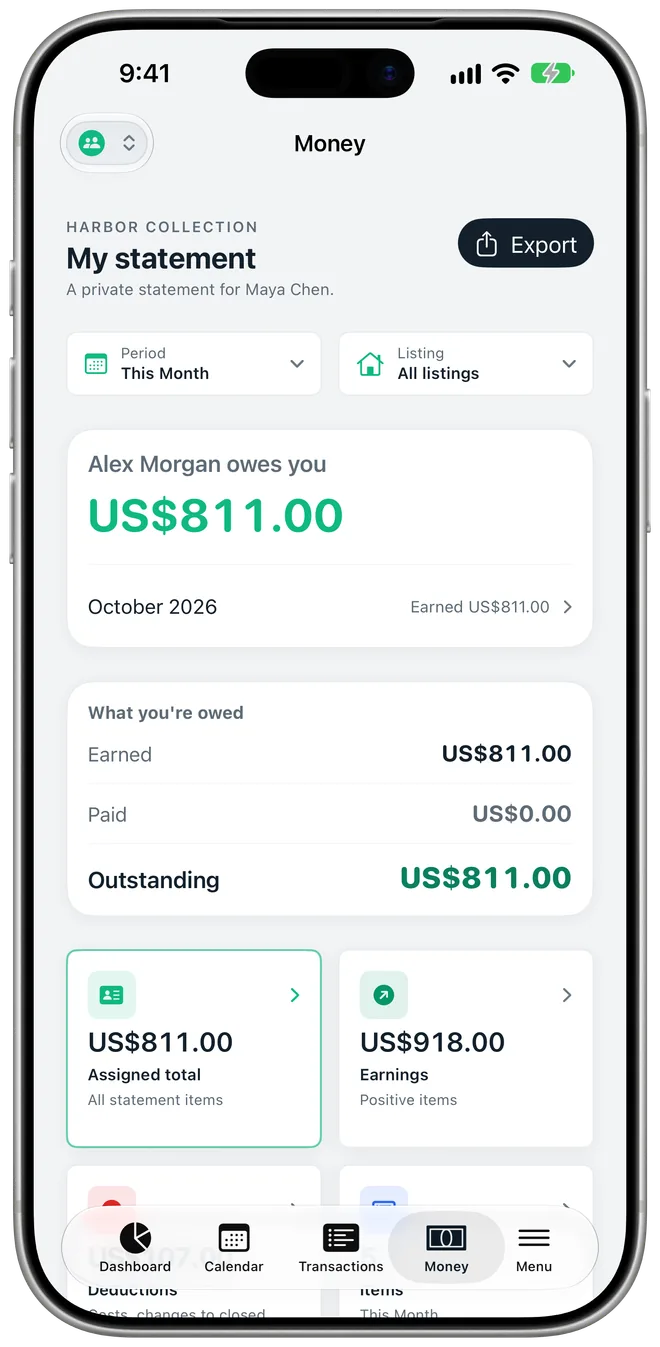
Four kinds of fee, with start and end dates for agreements that change. Every payout shows the stays behind it and the rule that priced each one.
The classic split, on every stay at the listing.
For a co-host paid per turnover, whatever the stay.
One rate for 1–2 night stays, another for 3 nights and up.
Costs a co-host covers come back to them automatically.
Invite the people who run your listings and choose what each one sees, listing by listing. Bookings and expenses they add wait for your approval. iPhone and Android work together.
Shared calendars, their own reports and fee share, requests you approve, live notifications.
TeamUp to 10 per team. They see turnovers and checklists, never your money.
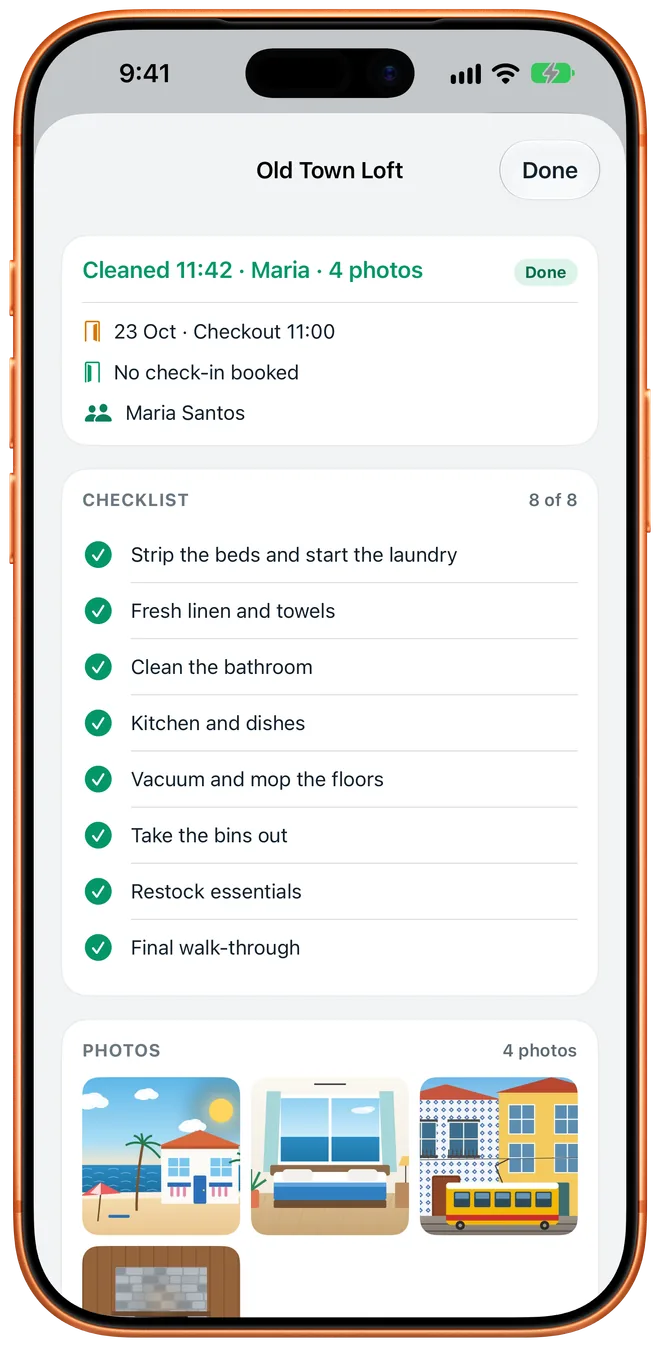
TeamYour own list per listing, with door code and notes. Require every item or a photo before it's marked done.
TeamYou get a notification when a turnover is finished, with the photos attached.
Team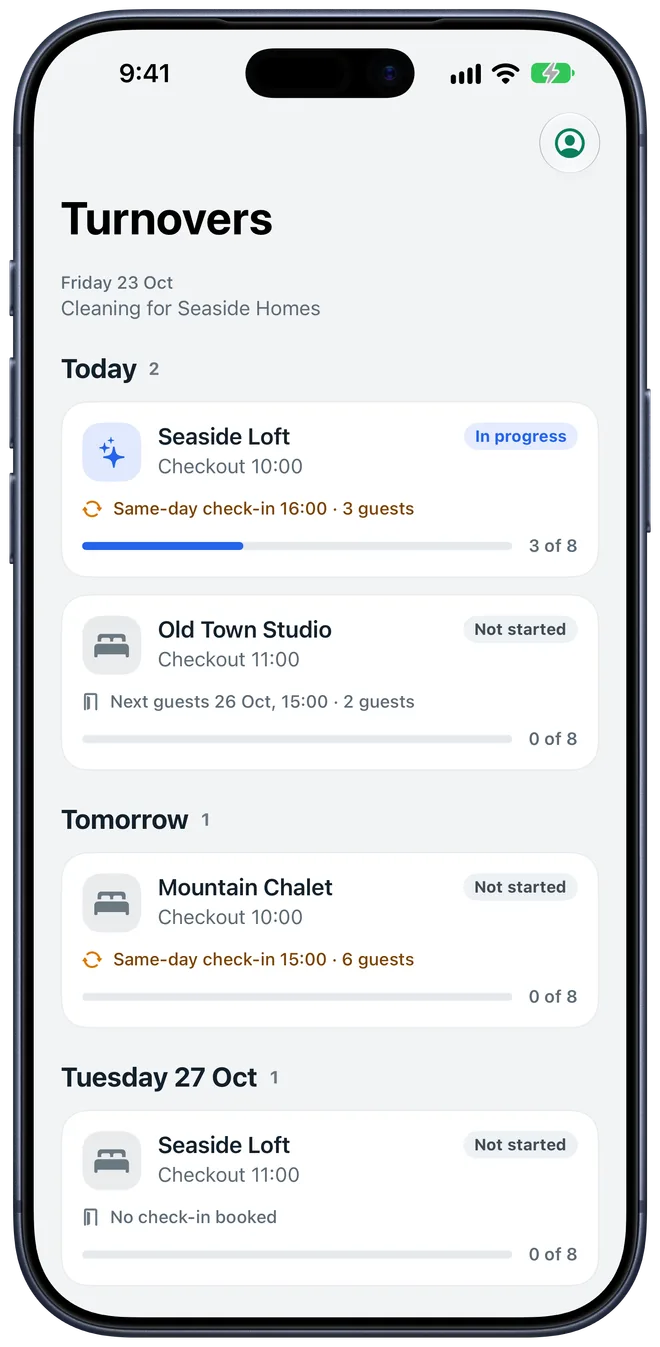
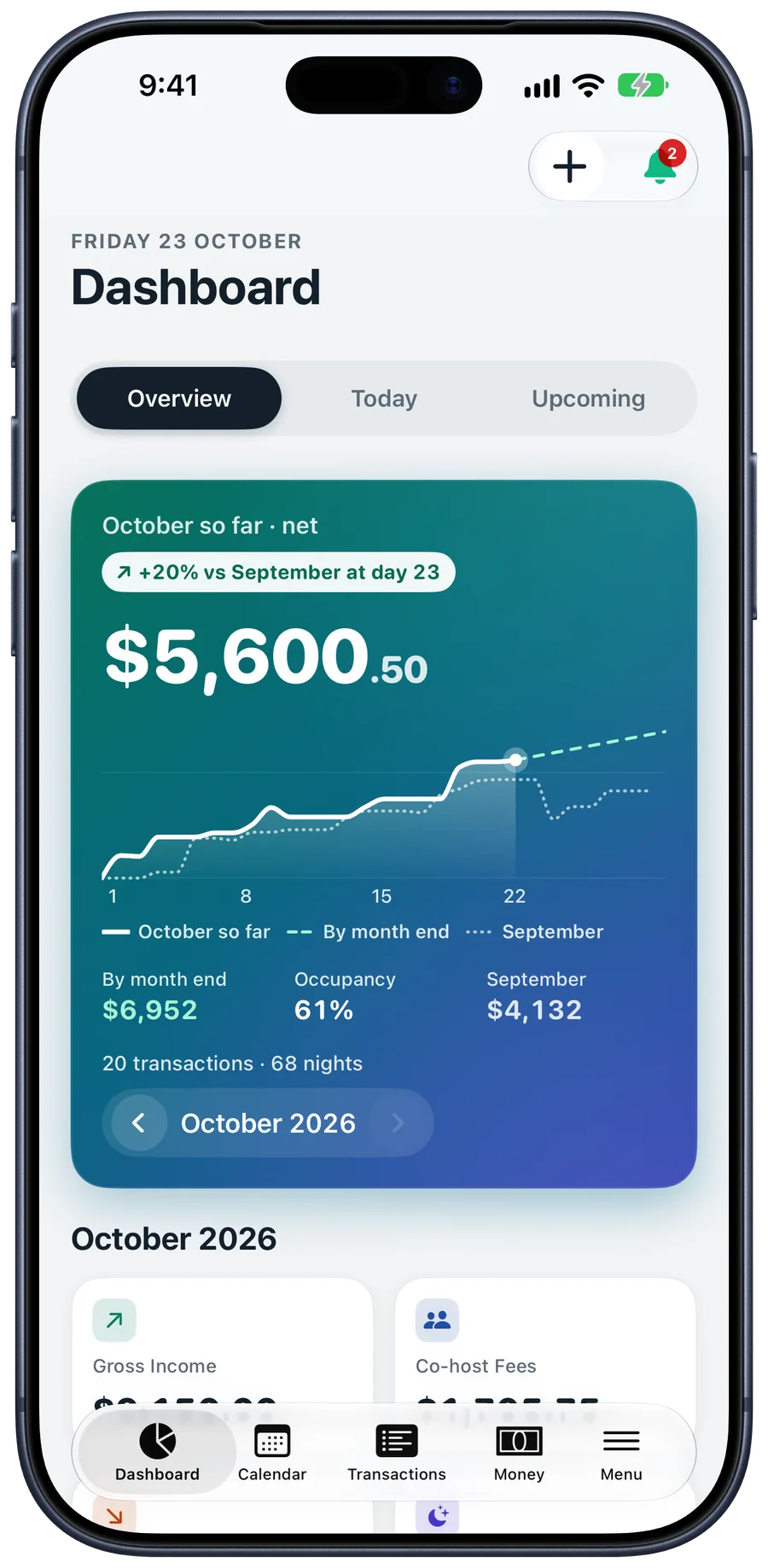
Income, co-host fees and costs for any month, quarter or tax year, by listing, with the month before and last year beside it. Every report and export is free.
Net profit, occupancy and nightly rate, with Monthly Highlights.
FreeOwner and co-host statements on proper A4 or Letter pages, as PDF or HTML.
FreeThe CSV and every receipt photo in one zip.
FreeTaxes collected and platform fees, by listing and month.
Free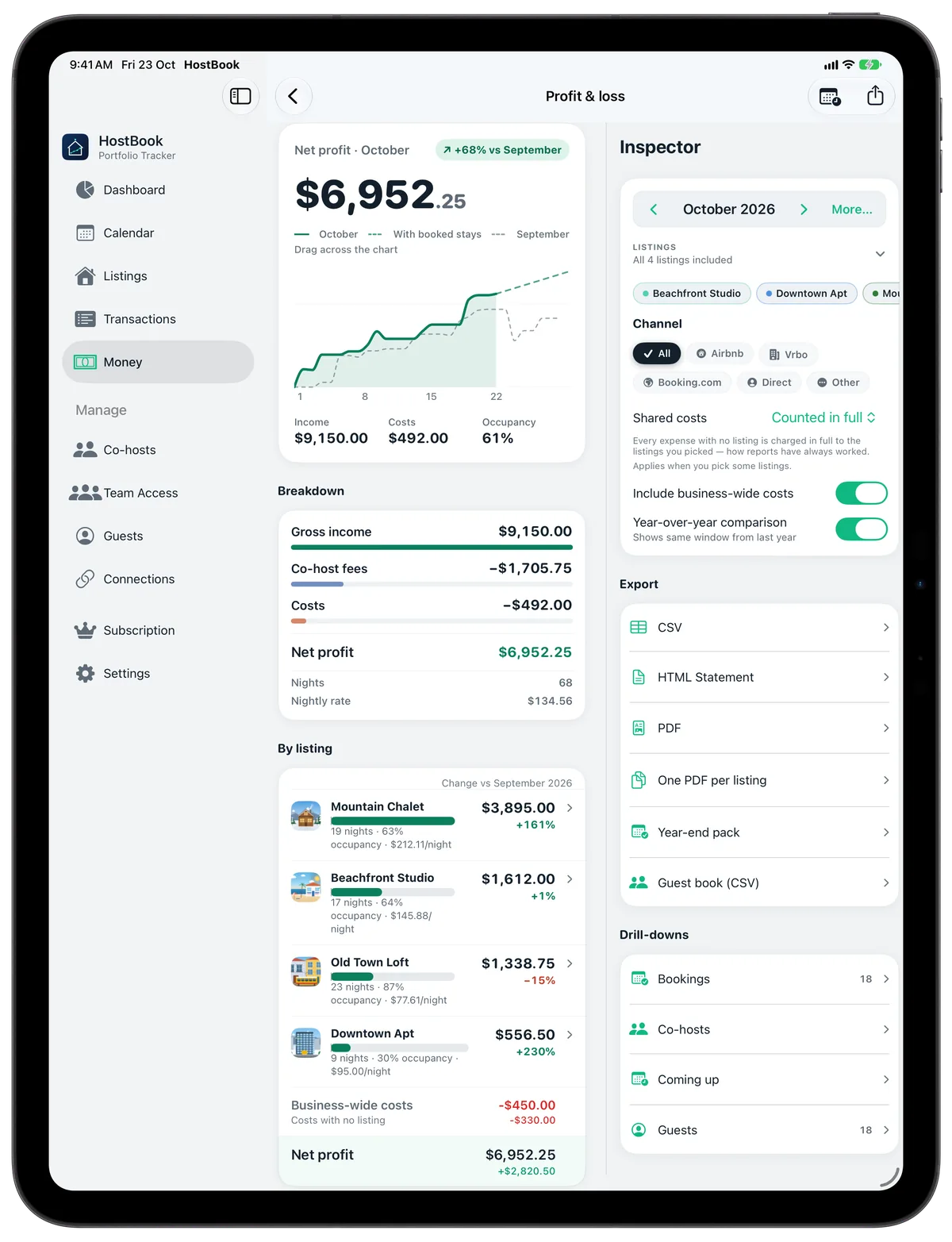
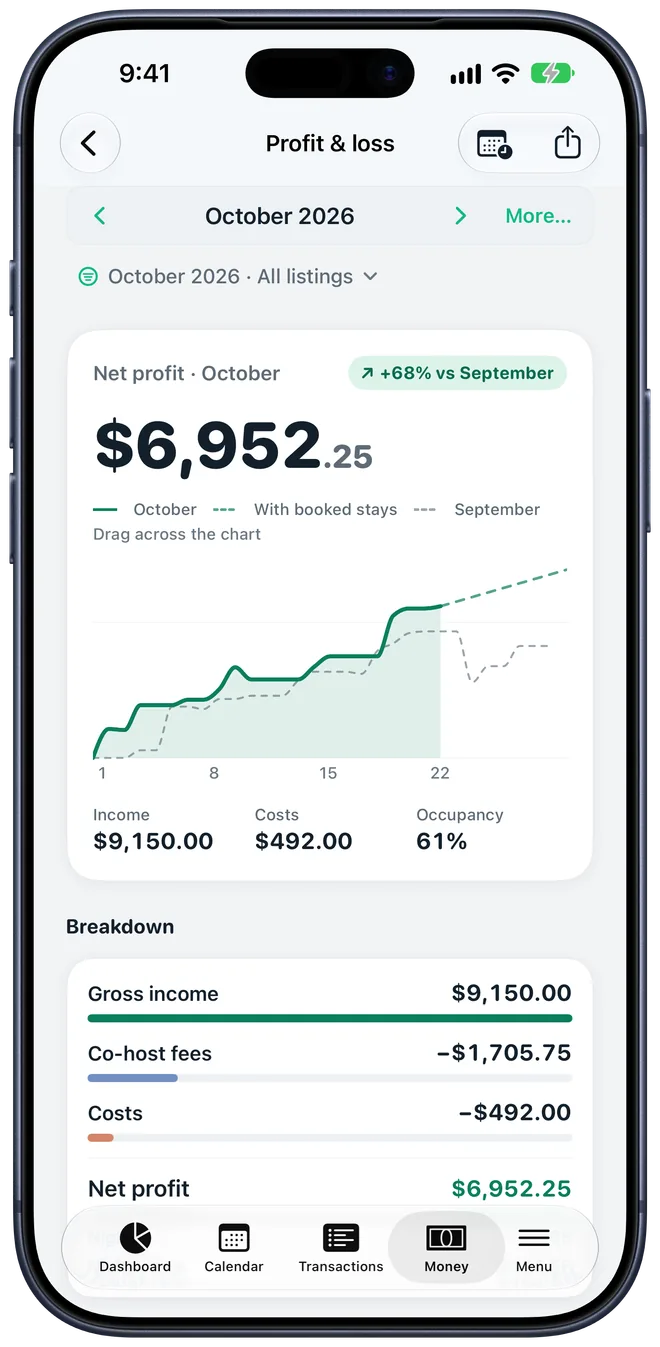
Profit & loss on iPad Pro and iPhone.
Designed for each device rather than stretched across them. Your Apple devices sync through your own iCloud. Team Access keeps iPhone and Android in step.
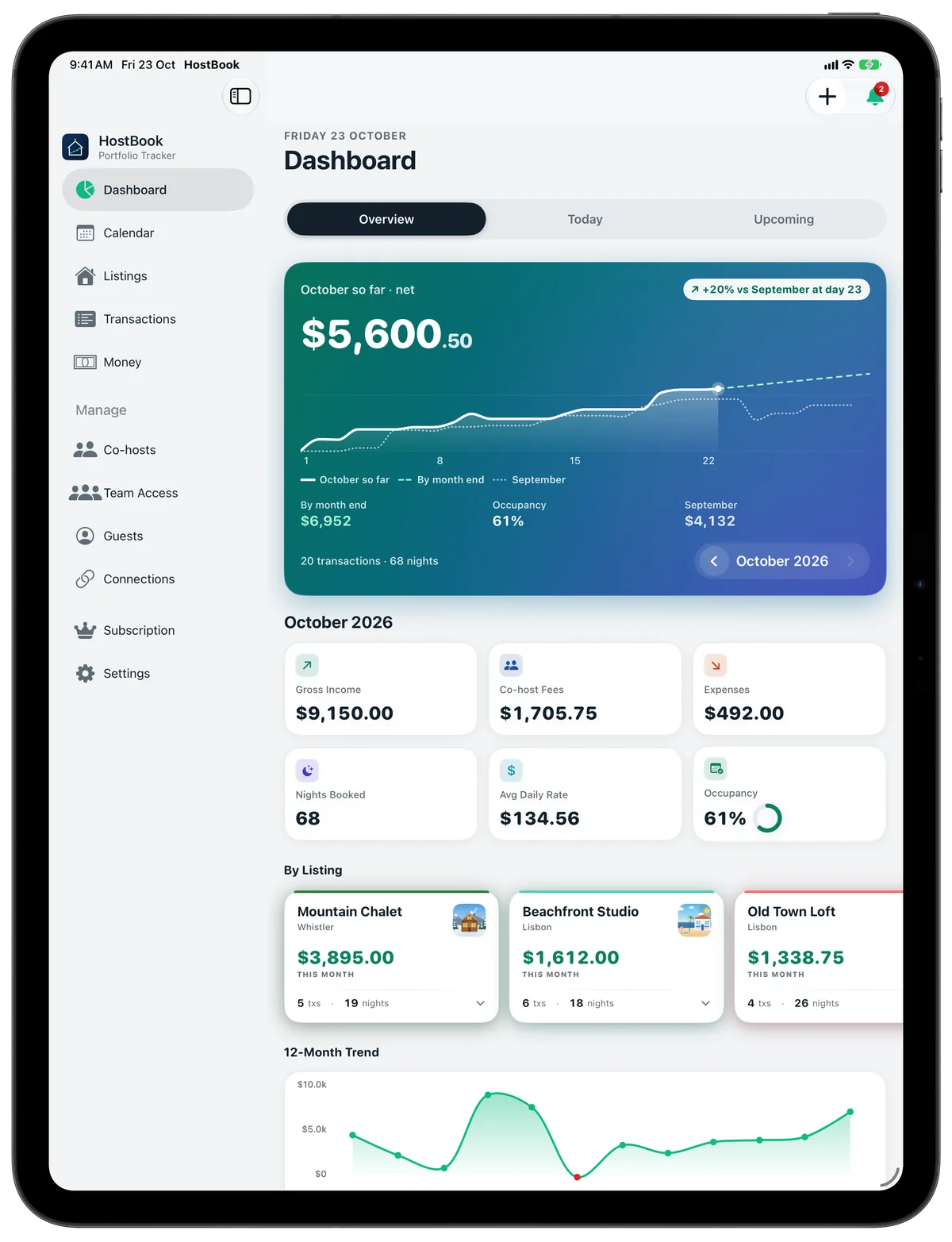
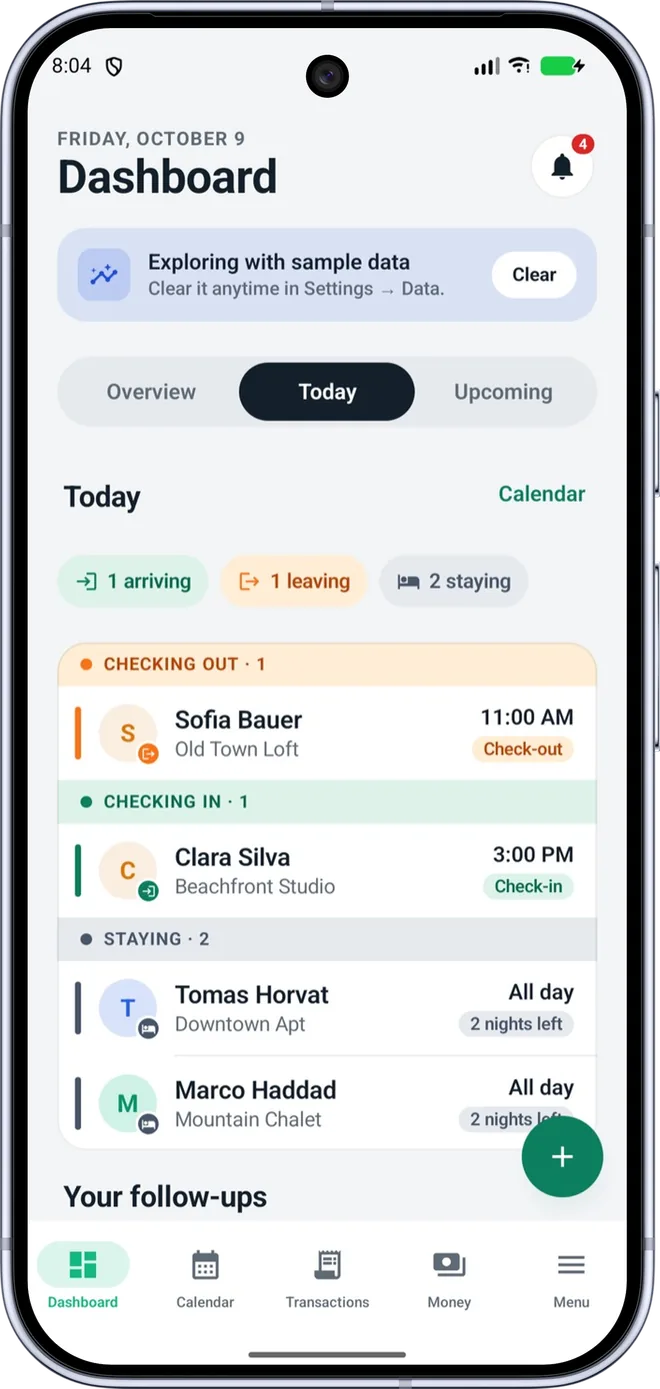
HostBook works offline first. We don't run analytics or ads, and we can't see your transactions.
Start in seconds. Sign in with Apple, Google or email only if you want Team Access, and delete the account any time in Settings.
On iPhone, iPad and Mac your data syncs through your personal iCloud account.
Team Access syncs the listings you share with the people you invite, nothing more.
Automatic weekly backups to a folder you pick, plus a full export that moves between iPhone and Android.
Billed by Apple or Google. Cancel any time in your store account.
For your first listing.
No card, no account.
For hosts with several listings.
$3.33 a month, billed yearly.
Everything in Pro, plus Team Access.
1 co-host seat.
Free for everyone: all reportsevery exportthe accountant packbackupsmulti-currencythe audit log
HostBook reads your calendars through the iCal links that Airbnb, Booking.com and Vrbo give you, and imports Airbnb's earnings and transactions files. It never asks for your Airbnb password.
No. HostBook works fully without one. An account (Apple, Google or email) is only needed for Team Access, so your co-hosts and cleaners can join you. You can delete it any time in Settings.
Yes. Team Access works the same on both, so a host on iPhone and a co-host on Android share one calendar, one set of bookings and one running balance.
Each booking and expense keeps its own currency, including GBP, EUR, USD, AED, SAR, LBP, AUD, NZD, CAD and CHF, with the exchange rate locked on the day so old reports don't move.
No. Turn it on for a listing and share the link. Guests choose free dates and pay by card through your own Stripe account. Nights blocked in HostBook or on Airbnb, Booking.com and Vrbo are hidden automatically.
Nothing is deleted. Your books stay on your devices and every report and export stays free. Paid features pause until you subscribe again.
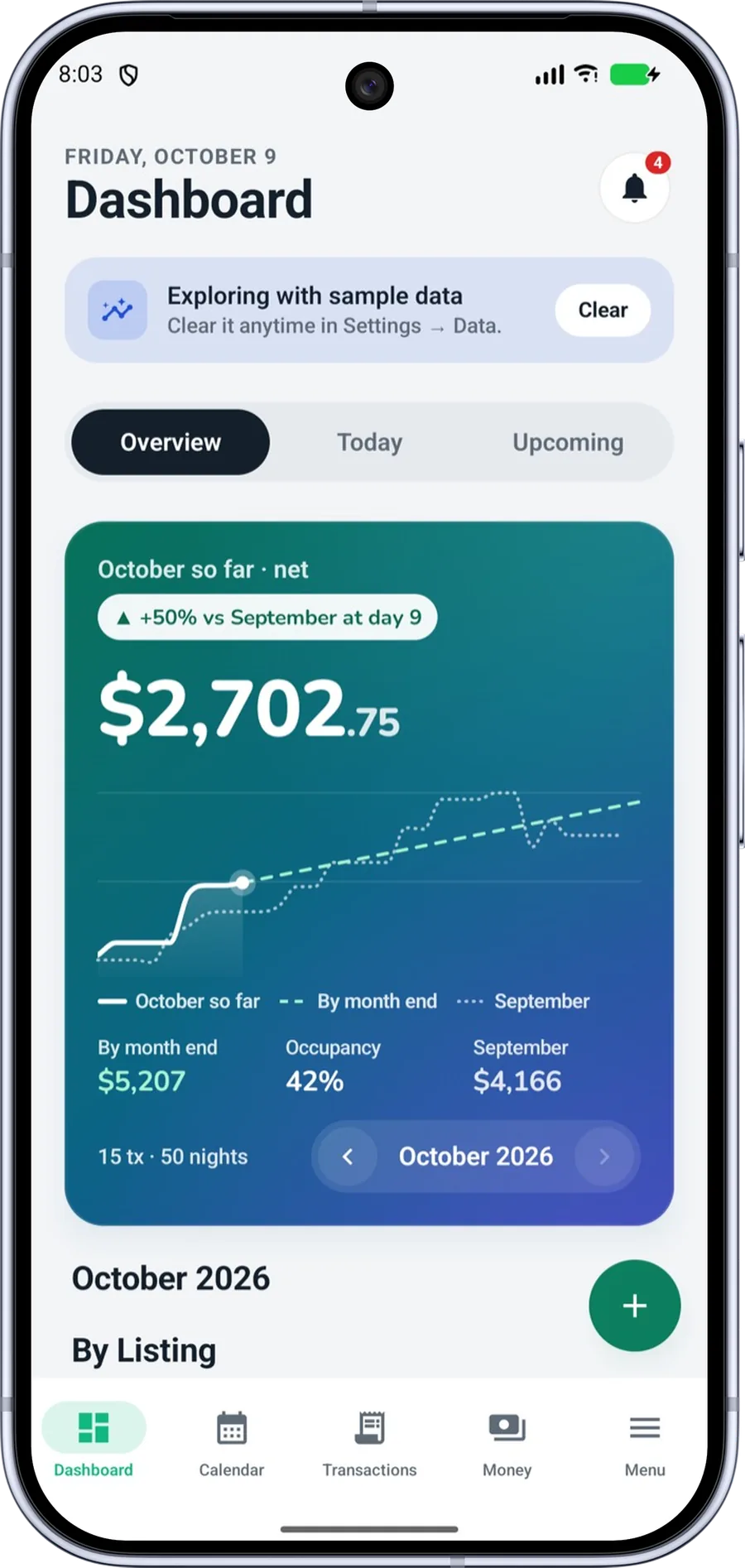
Try HostBook with a sample portfolio in thirty seconds, then add your own listings when you're ready.